

Portfolio
The portfolio page gives you detailed information about a wallet’s staking history
When a wallet is selected, data begins to appear:
Changing the timeframe
Section titled “Changing the timeframe”The current view is 1 Month - in tao.
The timeframes available are 1D, 1W, 1M and 1Y. The values can be shown in Tao of USD.
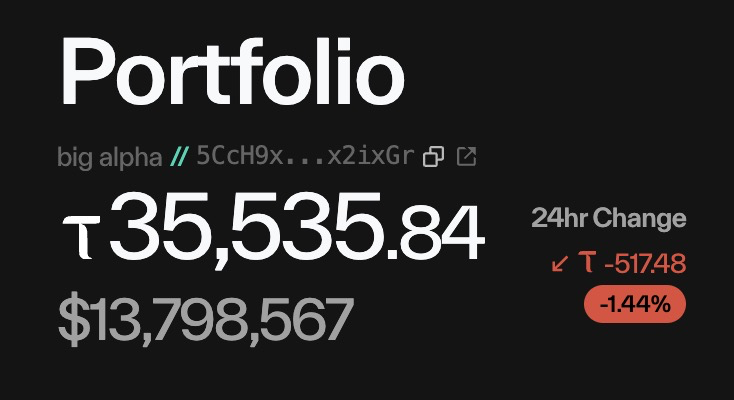
Balance
Section titled “Balance”Wallet balance in tao and USD
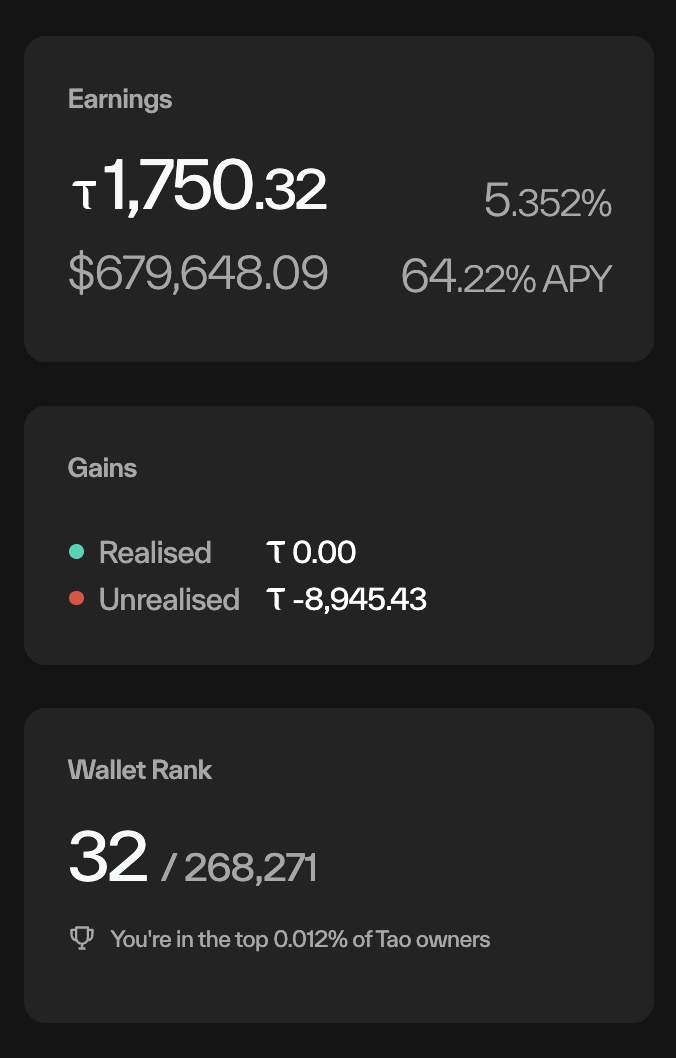
Earnings
Section titled “Earnings”The values here depend on the timeframe selected. This screenshow shows a 5% growth, and 64% APY if extrapolated for a year.
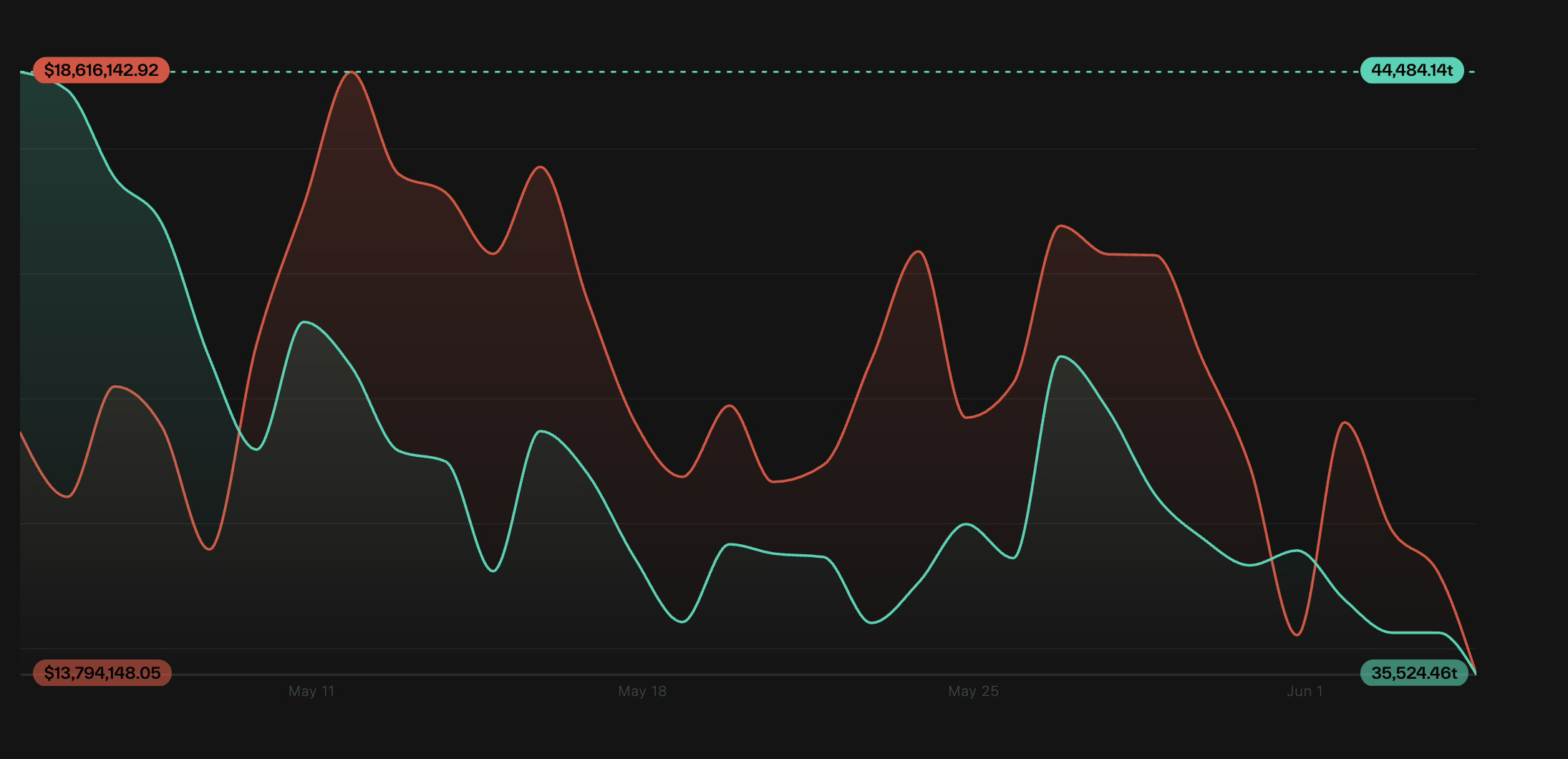
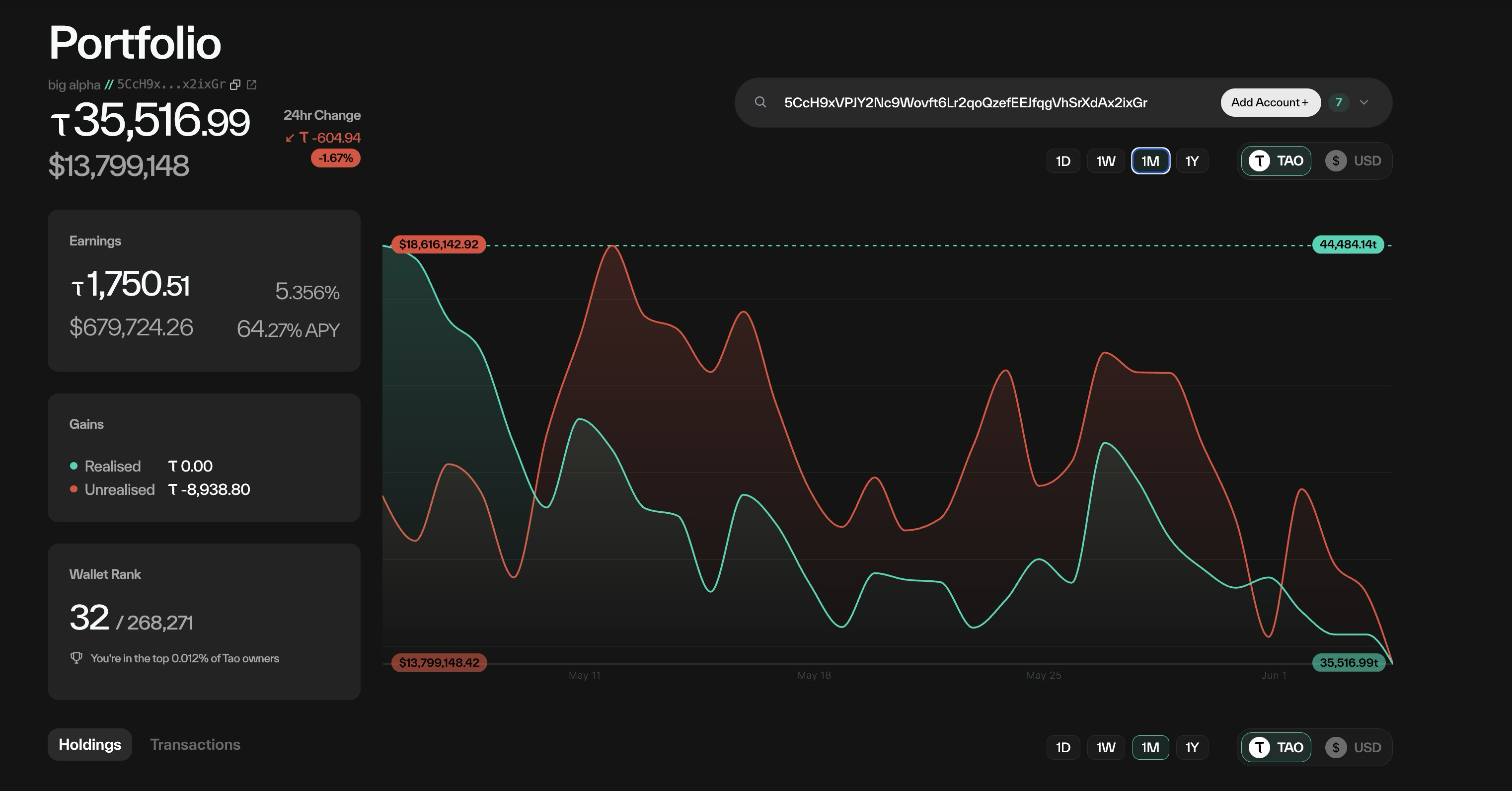
See how your portfolio has changed over time.
Red is USD value, and teal is tao value.
Holdings
Section titled “Holdings”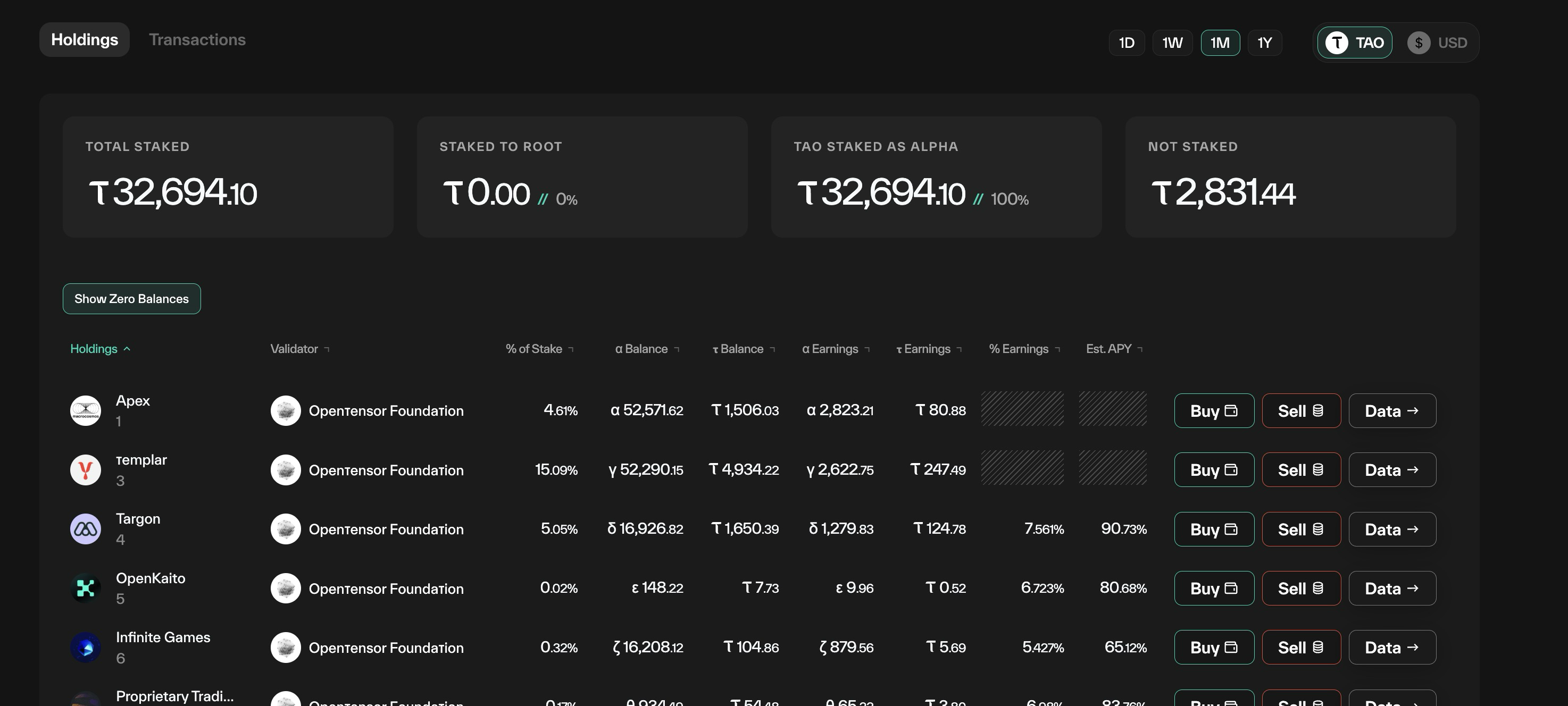
The holdings chart shows what alpha you hold.
- Holding: The subnet
- Validator: The validator you are staked to.
- % of Stake: Percentage of your stake on this vali/subnet combo.
- α Balance: Balance in alpha
- τ Balance: Balance in tao.
- α Earnings: Earnings in alpha over the selected timeframe
- τ Earnings: Earnings in tao over the selected timeframe
- % Earnings: Percentage change over timeframe
- EST APY: Actual Earnings over the timeframe - extrapolated to one year.
- Buy: But more of this alpha
- Sell: Sell this alpha
- Data: Dig deeper
Transactions
Section titled “Transactions”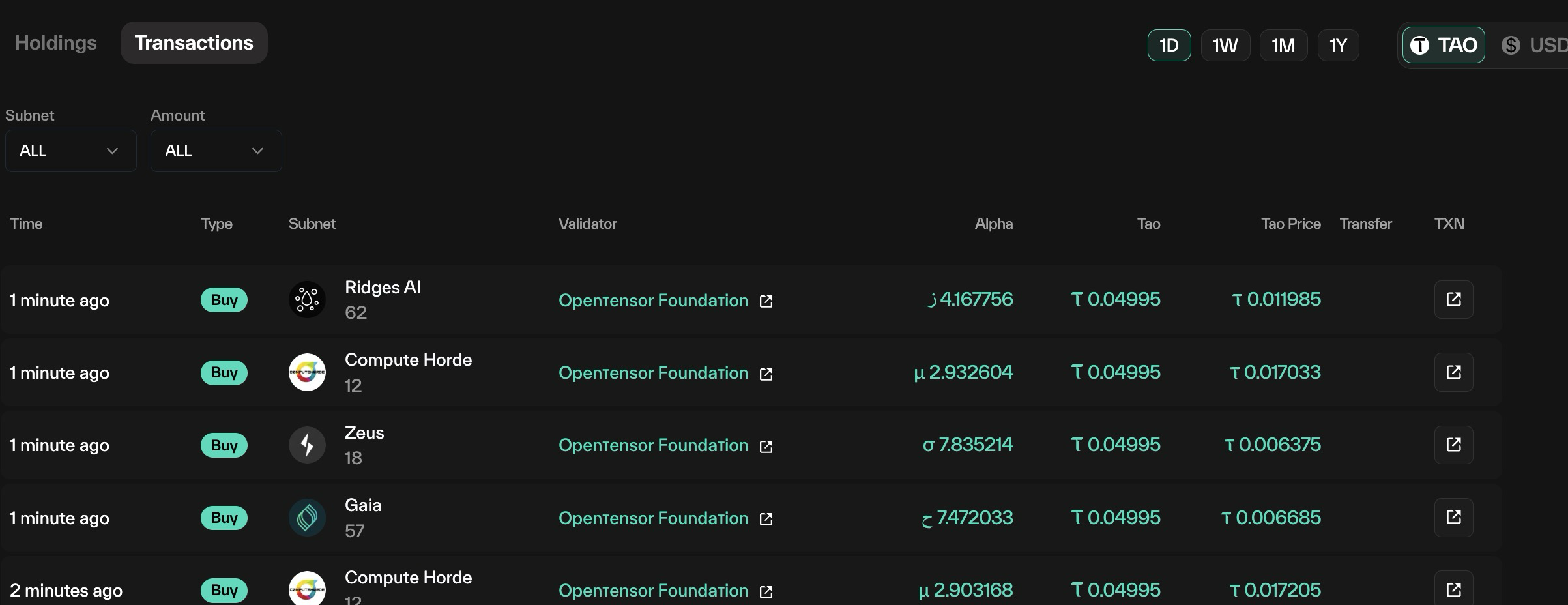
This table is similar to Staking Transactions, but just for your wallet.